library(tidyverse)
library(nlmixr2data)Loading and Exploring the Course Dataset
Load the
theo_sd dataset from nlmixr2data and inspect its structure before modeling.
Tip
Big picture: Before fitting a model, we need to know what the dataset contains, what each row represents, and whether the event records make sense.
Learning Objectives
By the end of this lesson, you will be able to:
- Load the course dataset from the
nlmixr2datapackage. - Inspect the structure of an event-based PK dataset.
- Identify dosing and observation records.
- Count subjects, observations, and dose records.
- Interpret key columns such as
ID,TIME,DV,AMT, andEVID. - Prepare for subject-level exploratory visualization.
Key Ideas
theo_sdis the main teaching dataset for the early PopPK modules.- The dataset is already organized in an event-based format.
- Dosing records and observation records are stored together.
- Observation records usually have
EVID == 0. - Dose records usually have
EVID == 1. - Inspecting structure comes before plotting or modeling.
Why We Use theo_sd
The theophylline dataset is a classic PK teaching dataset. In this course, we use theo_sd from the nlmixr2data package because it is already organized for population modeling workflows.
This lets us work directly with columns commonly used by population modeling software, including:
IDTIMEDVAMTEVID
Note
Not every pharmacometric dataset contains the same variables.
For example, theo_sd uses EVID to distinguish dosing and observation records and does not include an explicit MDV column.
Additional modeling variables exist, but they are not required to understand the concepts in this lesson and will be introduced later when needed.
Setup
Load the dataset:
data("theo_sd", package = "nlmixr2data")Create a local working copy:
theo <- theo_sdWorked Example 1: Inspect the Dataset
Start by looking at the object structure.
glimpse(theo)Rows: 144
Columns: 7
$ ID <int> 1, 1, 1, 1, 1, 1, 1, 1, 1, 1, 1, 1, 2, 2, 2, 2, 2, 2, 2, 2, 2, 2,…
$ TIME <dbl> 0.00, 0.00, 0.25, 0.57, 1.12, 2.02, 3.82, 5.10, 7.03, 9.05, 12.12…
$ DV <dbl> 0.00, 0.74, 2.84, 6.57, 10.50, 9.66, 8.58, 8.36, 7.47, 6.89, 5.94…
$ AMT <dbl> 319.992, 0.000, 0.000, 0.000, 0.000, 0.000, 0.000, 0.000, 0.000, …
$ EVID <int> 101, 0, 0, 0, 0, 0, 0, 0, 0, 0, 0, 0, 101, 0, 0, 0, 0, 0, 0, 0, 0…
$ CMT <int> 1, 2, 2, 2, 2, 2, 2, 2, 2, 2, 2, 2, 1, 2, 2, 2, 2, 2, 2, 2, 2, 2,…
$ WT <dbl> 79.6, 79.6, 79.6, 79.6, 79.6, 79.6, 79.6, 79.6, 79.6, 79.6, 79.6,…View the first rows:
theo %>% slice_head(n = 10) ID TIME DV AMT EVID CMT WT
1 1 0.00 0.00 319.992 101 1 79.6
2 1 0.00 0.74 0.000 0 2 79.6
3 1 0.25 2.84 0.000 0 2 79.6
4 1 0.57 6.57 0.000 0 2 79.6
5 1 1.12 10.50 0.000 0 2 79.6
6 1 2.02 9.66 0.000 0 2 79.6
7 1 3.82 8.58 0.000 0 2 79.6
8 1 5.10 8.36 0.000 0 2 79.6
9 1 7.03 7.47 0.000 0 2 79.6
10 1 9.05 6.89 0.000 0 2 79.6At this stage, do not try to model anything yet. The goal is simply to understand what is in the dataset.
Dataset Dimensions
How many rows and columns are present?
dim(theo)[1] 144 7A useful readable summary:
tibble(
  n_rows = nrow(theo),
  n_columns = ncol(theo)
)
# A tibble: 1 × 2
n_rows n_columns
<int> <int>
1 144 7Worked Example 2: Count Subjects and Events
Count the number of unique subjects.
theo %>%
  summarise(
    n_subjects = n_distinct(ID)
  )
n_subjects
1 12Count rows by event type.
theo %>%
  count(EVID)
EVID n
1 0 132
2 101 12Interpretation:
EVID == 0usually indicates observation rows.- Nonzero
EVIDvalues indicate dosing or other event records. - In
theo_sd, dosing records useEVID == 101, which encodes a dose event into a specific compartment.
Observation and Dose Records
Create separate objects for observations and doses.
obs <- theo %>%
  filter(EVID == 0)

dose <- theo %>%
  filter(EVID != 0)
Check their sizes.
tibble(
  n_observation_rows = nrow(obs),
  n_dose_rows = nrow(dose)
)
# A tibble: 1 × 2
n_observation_rows n_dose_rows
<int> <int>
1 132 12This separation is useful for summaries, QC, and visualization.
Worked Example 3: Inspect Observation Records
Observation records contain measured concentrations.
obs %>%
  select(ID, TIME, DV, AMT, EVID) %>%
  slice_head(n = 10)
ID TIME DV AMT EVID
1 1 0.00 0.74 0 0
2 1 0.25 2.84 0 0
3 1 0.57 6.57 0 0
4 1 1.12 10.50 0 0
5 1 2.02 9.66 0 0
6 1 3.82 8.58 0 0
7 1 5.10 8.36 0 0
8 1 7.03 7.47 0 0
9 1 9.05 6.89 0 0
10 1 12.12 5.94 0 0Check whether observation rows have concentration values.
obs %>%
  summarise(
    n_obs = n(),
    n_missing_dv = sum(is.na(DV)),
    n_nonmissing_dv = sum(!is.na(DV))
  )
n_obs n_missing_dv n_nonmissing_dv
1 132 0 132Worked Example 4: Inspect Dose Records
Dose records describe when drug entered the system.
dose %>%
  select(ID, TIME, AMT, DV, EVID) %>%
  slice_head(n = 10)
ID TIME AMT DV EVID
1 1 0 319.992 0 101
2 2 0 318.560 0 101
3 3 0 319.365 0 101
4 4 0 319.880 0 101
5 5 0 319.956 0 101
6 6 0 320.000 0 101
7 7 0 319.770 0 101
8 8 0 319.365 0 101
9 9 0 267.840 0 101
10 10 0 320.100 0 101Summarize dose amounts.
dose %>%
  count(AMT)
AMT n
1 267.840 1
2 318.560 1
3 319.365 2
4 319.770 1
5 319.800 1
6 319.880 1
7 319.956 1
8 319.992 1
9 320.000 1
10 320.100 1
11 320.650 1For many simple PK examples, each subject receives one dose at time zero. We should still verify that assumption rather than assume it.
Time Range
Check the time range in the full dataset.
theo %>%
  summarise(
    min_time = min(TIME, na.rm = TRUE),
    max_time = max(TIME, na.rm = TRUE)
  )
min_time max_time
1 0 24.65Check the observation-time range.
obs %>%
  summarise(
    min_obs_time = min(TIME, na.rm = TRUE),
    max_obs_time = max(TIME, na.rm = TRUE)
  )
min_obs_time max_obs_time
1 0 24.65Worked Example 5: Subject-Level Summary
Before plotting profiles, summarize how many observations each subject has.
obs_by_id <- obs %>%
  count(ID, name = "n_obs") %>%
  arrange(ID)

obs_by_id
ID n_obs
1 1 11
2 2 11
3 3 11
4 4 11
5 5 11
6 6 11
7 7 11
8 8 11
9 9 11
10 10 11
11 11 11
12 12 11Check whether subjects have the same number of observations.
obs_by_id %>%
  count(n_obs)
n_obs n
1 11 12This helps us understand whether the dataset is balanced or unbalanced.
Initial Subject-Level Characteristics
Before modeling, it is often useful to inspect subject-level variables that may later become candidate covariates.
For example, theo_sd contains body weight (WT).
At this stage, we are not testing covariate effects. We are simply understanding the study population.
Summarize weight:
theo %>%
  distinct(ID, WT) %>%
  summarise(
    n_subjects = n(),
    wt_min = min(WT, na.rm = TRUE),
    wt_median = median(WT, na.rm = TRUE),
    wt_max = max(WT, na.rm = TRUE)
  )
n_subjects wt_min wt_median wt_max
1 12 54.6 70.5 86.4Visualize weight distribution:
theo %>%
  distinct(ID, WT) %>%
  ggplot(aes(WT)) +
  geom_histogram(bins = 8) +
  labs(
    title = "Distribution of Subject Weight",
    x = "Weight",
    y = "Subjects"
  )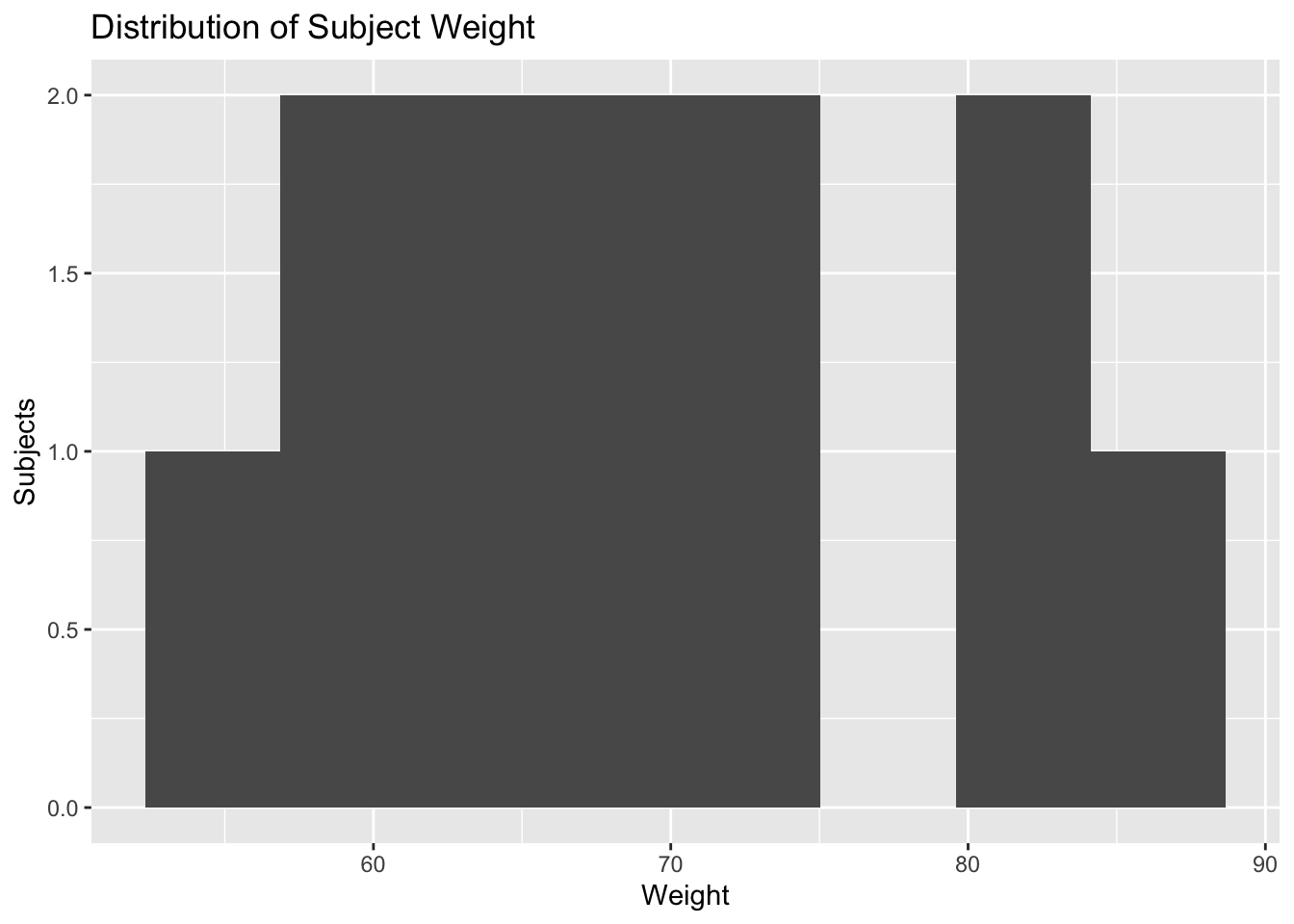
At this stage, the goal is not interpretation of weight effects.
Instead, the goal is to ask:
- Is the population homogeneous?
- Is there meaningful variability?
- Could this variable become important later?
Covariate relationships will be introduced formally in a later module.
Quick First Look at Profiles
A small plot can help verify that the data behave like PK concentration-time data.
ggplot(obs, aes(TIME, DV, group = ID)) +
  geom_line(alpha = 0.35) +
  geom_point(size = 0.8) +
  labs(
    title = "Observed Theophylline Concentration-Time Profiles",
    x = "Time",
    y = "Concentration"
  )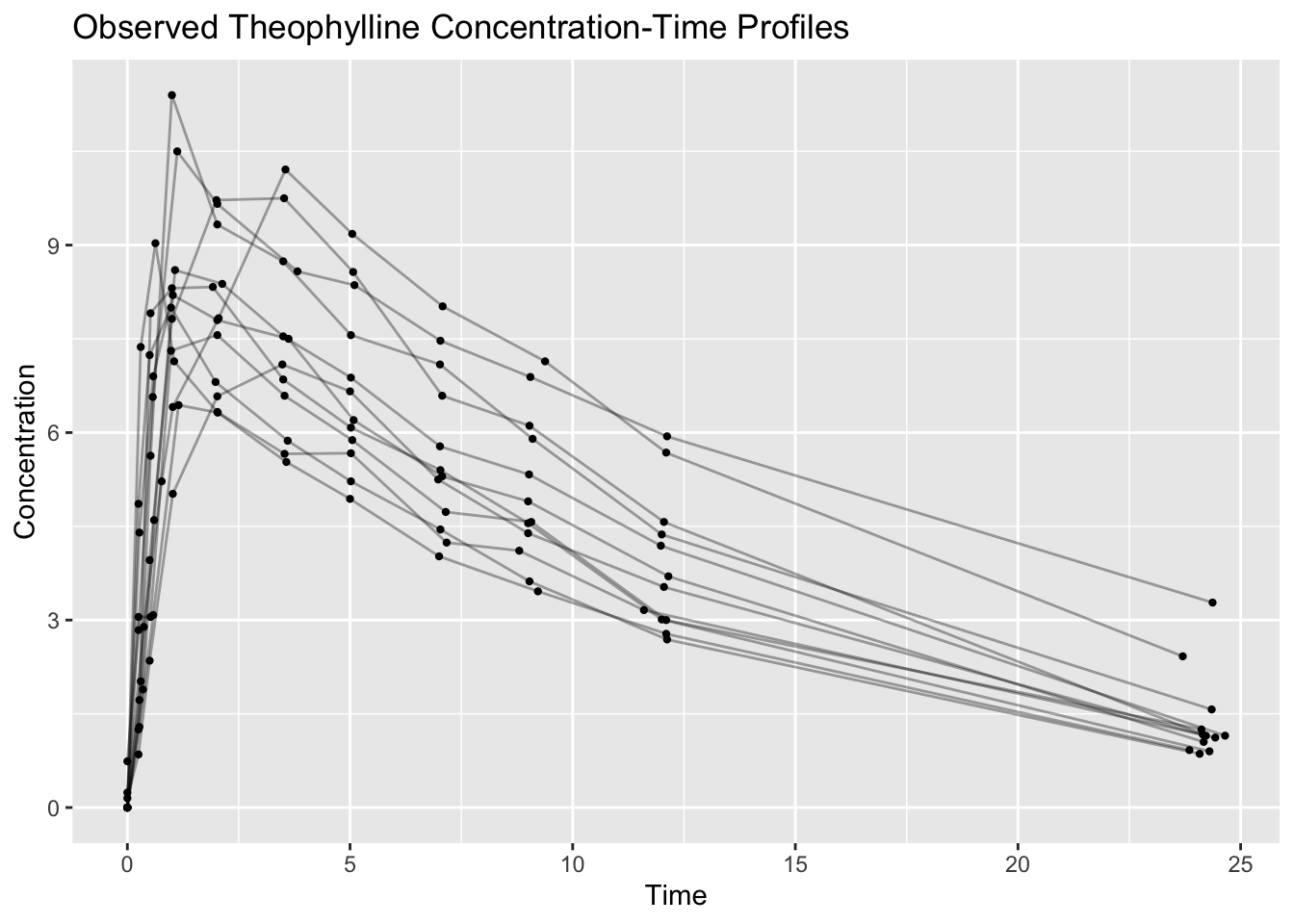
We will build more intentional exploratory plots in a later lesson.
Strategies
- Start with
glimpse(). - Count subjects and event types.
- Separate observation and dosing records.
- Check missing values in
DV. - Verify the dose amounts and dose times.
- Summarize observations by subject before plotting.
Common Mistakes
- Using all rows when plotting observed concentrations.
- Forgetting to filter
EVID == 0for observation summaries. - Assuming
AMT == 0means the row is unimportant. - Treating the dataset as a simple spreadsheet rather than an event history.
Practice Problems
- Count the number of subjects in
theo. - Count the number of observation rows and dose rows.
- Find the minimum and maximum observed concentration.
- Count the number of observations per subject.
- Create a simple concentration-time plot using only observation rows.
TipStep-by-Step Solutions
Problem 1: Count the number of subjects
theo %>%
  summarise(n_subjects = n_distinct(ID))
n_subjects
1 12Problem 2: Count observation and dose rows
theo %>%
  count(EVID)
EVID n
1 0 132
2 101 12Problem 3: Find the minimum and maximum observed concentration
obs %>%
  summarise(
    min_dv = min(DV, na.rm = TRUE),
    max_dv = max(DV, na.rm = TRUE)
  )
min_dv max_dv
1 0 11.4Problem 4: Count observations per subject
obs %>%
  count(ID, name = "n_obs") %>%
  arrange(ID)
ID n_obs
1 1 11
2 2 11
3 3 11
4 4 11
5 5 11
6 6 11
7 7 11
8 8 11
9 9 11
10 10 11
11 11 11
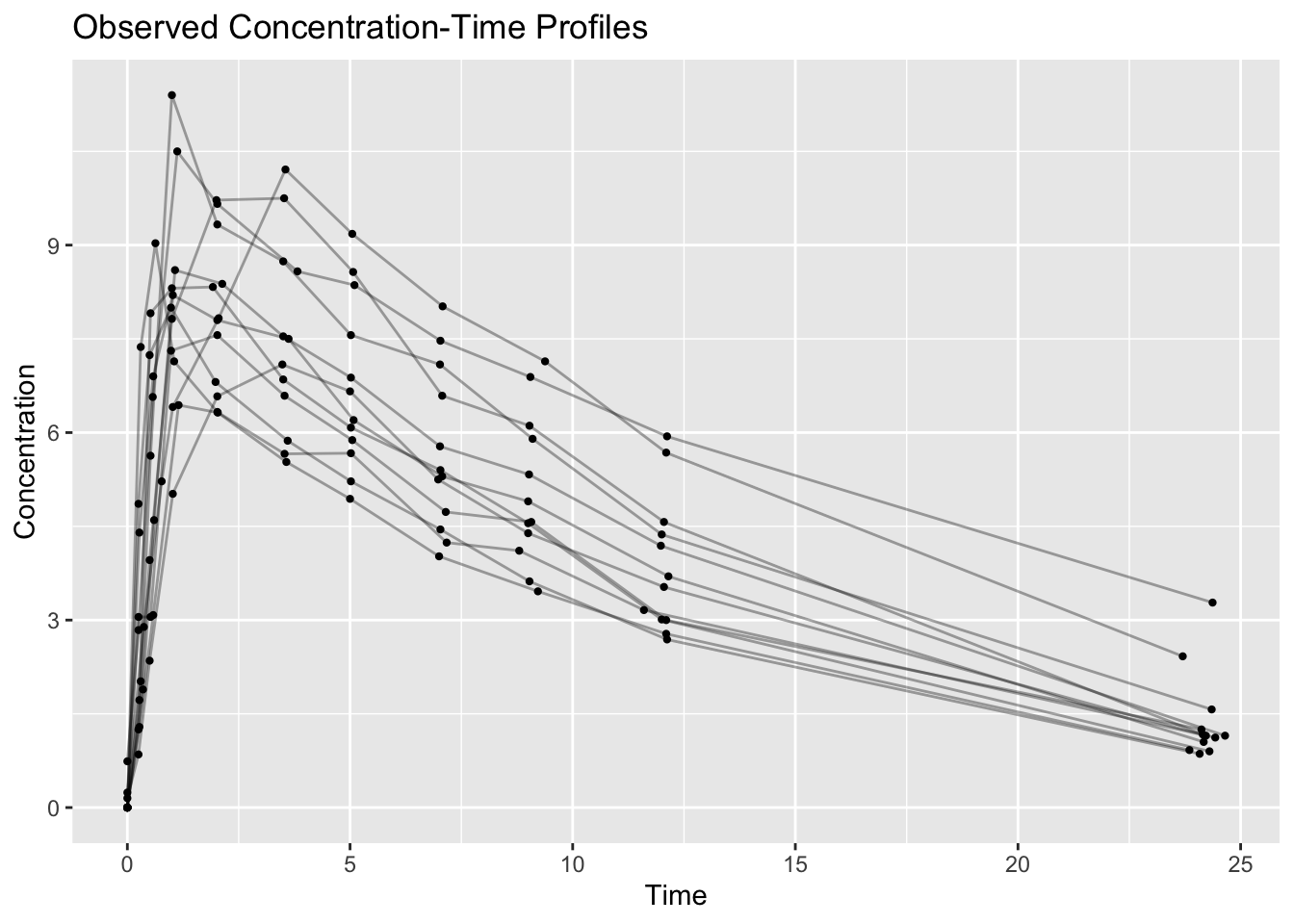
12 12 11Problem 5: Create a simple concentration-time plot
ggplot(obs, aes(TIME, DV, group = ID)) +
  geom_line(alpha = 0.35) +
  geom_point(size = 0.8) +
  labs(
    title = "Observed Concentration-Time Profiles",
    x = "Time",
    y = "Concentration"
  )
Summary
- You loaded
theo_sdfromnlmixr2data. - You inspected the dataset structure.
- You separated observation and dose records.
- You summarized subjects, events, dose amounts, and observation times.
- You created a first simple concentration-time plot.
TipQuick Tips
- Use
EVID == 0for observed concentration summaries. - Check dose records before modeling.
- Count first, plot second, model later.
- Treat the dataset as a sequence of events over time.